This guide covers all about graphic design businesses need to know to achieve growth and drive sales. From branding and logos, typography and colors to marketing visuals, choose the best options.
Graphic design goes far beyond software and tools. It covers typography libraries, color systems, stock photography, icon sets, mockups, templates, and inspiration platforms. And you can’t miss out on the logo and brand identity guides either. With a huge number of options available online, the real challenge is identifying resources that are reliable, high-quality, and aligned with your creative goals. From research and concept development to execution and final delivery, explore a carefully curated collection of essential graphic design resources to support every stage of the creative process.
History and Evolution of Graphic Design
Graphic design has continuously evolved alongside human communication, technology, and culture. What began as simple visual storytelling has transformed into a highly strategic and technology-driven creative discipline. Each era introduced new tools, methods, and styles that shaped how we design and consume visual content today.
• Ancient Visual Communication
Early graphic design began with cave paintings, symbols, hieroglyphics, and handwritten manuscripts used to communicate stories, culture, and information.
• The Printing Press Revolution (15th Century)
The invention of the printing press transformed visual communication by making books, posters, and printed materials more accessible and consistent. Typography and layout design became increasingly important during this period.
• Industrial Revolution & Advertising Era (18th–19th Century)
As businesses expanded, graphic design became a powerful marketing tool. Posters, packaging designs, newspapers, and advertisements grew in popularity, introducing more structured branding and commercial design.
• Modern Design Movement (Early 20th Century)
Design movements such as Bauhaus and Swiss Design introduced minimalism, grid systems, clean typography, and functional layouts that still influence modern design today.
• The Digital Design Revolution (1980s–1990s)
The rise of computers and software like Adobe Photoshop and Illustrator changed the design industry completely. Designers gained more creative flexibility, faster workflows, and digital editing capabilities.
• The Internet & Web Design Era (2000s)
Graphic design expanded into websites, digital marketing, user interfaces, and online branding. Responsive design and user experience became essential as businesses moved online.
• Social Media & Content-Driven Design (2010s)
The growth of social media platforms increased demand for digital content, including social graphics, motion design for digital communication, infographics, and short-form visual storytelling.
• AI & Emerging Technologies (Present Day)
Today, graphic design continues to evolve with AI-powered tools, automation, 3D visuals, immersive experiences, and collaborative cloud-based platforms that are reshaping creative workflows and design possibilities.
Types of Graphic Design
Graphic design covers a wide range of creative disciplines, each serving a different purpose and audience. Some of the most common types include:
Brand Identity Design – Logo designs, visual systems, and brand guidelines that define a company’s identity.
Marketing & Advertising Design – Social media graphics, banners, brochures, and promotional materials.
Web & UI Design – User-focused digital experiences for websites, apps, and online platforms.
Print Design – Packaging, business cards, magazines, posters, and other physical materials.
Motion Graphics – Animated visuals, video graphics, and interactive media content.
Illustration & Visual Art – Custom artwork, icons, and digital illustrations for brands and campaigns.
Publication Design – Books, magazines, reports, and editorial layouts designed for readability and engagement.
Each area requires a unique combination of creativity, strategy, and technical skills to create visuals that communicate effectively.
Importance of Graphic Design in Business and Branding
Graphic design plays a major role in how businesses present themselves and connect with their audience. Strong visuals help brands establish credibility, communicate professionalism, and create lasting impressions. From a logo and website to social media content design and product packaging, every visual element contributes to how a brand is perceived.
Consistent and well-executed design strengthens brand recognition and helps businesses stand out in competitive markets. It also improves communication by making information easier to understand, more engaging, and visually appealing.
Businesses rely on it to build trust, support marketing efforts, increase audience engagement, and create meaningful customer experiences across both print and digital platforms.
The Core Principles of Graphic Design
The principles of design are the foundational rules that guide how visual elements are arranged and perceived. They help designers create compositions that are clear, structured, and easy to understand. When applied correctly, these principles, like visual hierarchy in logo design, improve communication and ensure a stronger user experience across all types of design work.
1. Balance
Balance refers to the distribution of visual weight within a design. It can be symmetrical, asymmetrical, or radial, and it helps create stability and harmony in the composition.
2. Contrast
Contrast is the difference between elements such as color, size, shape, or texture. It helps highlight key information and improves readability and visual interest.
3. Hierarchy
Hierarchy guides the viewer’s attention by organizing elements in order of importance. It is achieved through size, typography, color, and placement.
4. Alignment
Alignment ensures that elements are visually connected and structured. It creates order and improves overall clarity in the design.
5. Repetition
Repetition involves using consistent elements like colors, fonts, shapes, or patterns throughout a design. It strengthens visual identity and creates unity.
6. Proximity
Proximity groups related elements together to show relationships and improve organization. It helps reduce clutter and makes information easier to process.
7. White Space
White space (or negative space) is the empty area around design elements. It improves readability, focus, and overall balance while preventing overcrowding.
8. Scale and Proportion
Scale refers to the size of elements, while proportion concerns their relationships to one another. Both are used to create emphasis and visual harmony.
9. Visual Flow
Visual flow guides the viewer’s eye through a design in a deliberate sequence. It ensures that information is consumed in a logical and engaging way.
Color Theory
Color theory is the study of how colors interact, influence perception, and communicate meaning. It helps designers create visually appealing and emotionally effective compositions by using color intentionally rather than randomly. Once you understand this, you can learn how colors work in design well.
• Color Wheel Basics
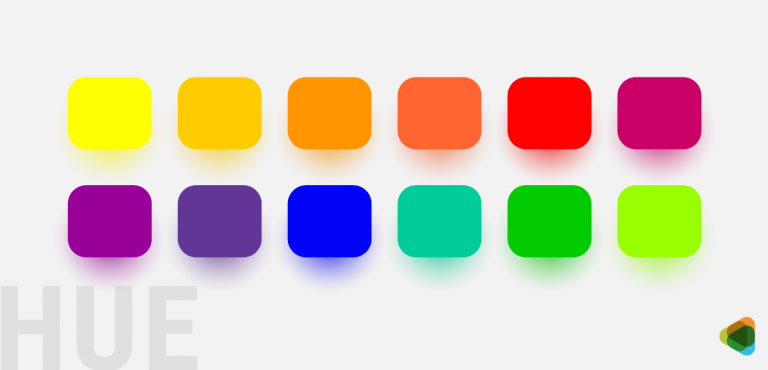
The color wheel organizes primary, secondary, and tertiary colors, helping designers understand relationships like complementary, analogous, and triadic color schemes.
• RGB vs CMYK
RGB (Red, Green, Blue) is used for digital screens, while CMYK (Cyan, Magenta, Yellow, Black) is used for print. Understanding both ensures accurate color reproduction across mediums.
• Color Psychology
Colors impact mood, evoke emotions and influence perception. For example, blue often conveys trust, red signals urgency or energy, and green represents growth or balance.
• Color Harmony
Color harmony refers to combining colors in a visually pleasing way using schemes like complementary, analogous, and monochromatic palettes.
• Accessibility and Contrast
Good design ensures sufficient contrast between text and background for readability, especially for users with visual impairments. Accessibility standards help maintain clarity for all audiences.
Typography
Typography is the art of arranging text to make written language readable, legible, and visually appealing. It plays a key role in setting tone, hierarchy, and overall design personality.
• Serif vs. Sans Serif
Serif fonts have small decorative strokes at the ends of letters and often feel traditional, while sans serif fonts are clean and modern without extra strokes.
• Font Pairing
Font pairing involves combining typefaces that complement each other to create contrast and visual harmony without overwhelming the design.
• Readability
Readability ensures that text is easy to read and understand, influenced by font choice, spacing, size, and contrast.
• Kerning, Tracking, Leading
Kerning adjusts space between individual letters, tracking adjusts spacing across entire words or blocks, and leading controls line spacing for better readability.
• Typography Hierarchy
Hierarchy organizes text by importance using size, weight, and style, guiding the reader through content in a structured flow.
Read Our Full Typography Guide.
Layout & Composition
Layout and composition focus on how visual elements are arranged within a space to create structure, balance, and clarity. A strong layout improves communication and enhances user experience.
• Grid Systems
Grid systems provide a structured framework for aligning elements consistently, ensuring clean and organized layouts.
• Rule of Thirds
The rule of thirds divides a layout into a 3×3 grid, helping designers place key elements along focal points for better visual impact.
• Responsive Layouts
Responsive design helps layouts adapt seamlessly across different screen sizes and devices, especially in digital design.
• Visual Balance
Visual balance distributes elements evenly within a composition to create harmony, whether symmetrical or asymmetrical.
• Designing for Print vs Digital
Print design focuses on fixed layouts, color accuracy, and physical materials for marketing, while digital design emphasizes responsiveness, interactivity, and screen-based optimization.
Graphic Design in Practice: Real-World Applications
Graphic design is applied across multiple fields where visual communication is used to inform, persuade, and engage audiences. Each application serves a specific purpose, helping brands, businesses, and organizations communicate clearly and effectively across digital and physical platforms.
1. Branding & Identity Design
Branding and identity design creates a unified visual system that represents a business across all touchpoints. It maintains consistency in how a brand looks, feels, and communicates, helping build recognition, trust, and long-term audience connection. For instance, a business logo system defines how your logo appears everywhere.
Where it is used:
Corporate branding
Product branding
Startups and enterprises
Marketing communication
Includes:
Logo design
Brand guidelines
Visual identity systems
Typography and color systems
Packaging design
Brand voice and storytelling
Rebranding strategies
2. Web & UI Design (Digital Design)
Digital design focuses on creating visual experiences for screens that are both functional and engaging. It combines usability and aesthetics to improve how users interact with websites, apps, and online platforms. This also helps in uunderstanding web design and development in-depth.
Where it is used:
Websites
Mobile apps
SaaS platforms
Social media platforms
Includes:
UI design
UX fundamentals
Web graphics
Mobile-first design
Social media creatives
Email design
Landing pages
Interaction design
3. Print Design
Print design involves creating visual materials intended for physical production. It emphasizes layout accuracy, typography, and color precision to ensure clear and effective communication in tangible formats.
Where it is used:
Publishing
Marketing materials
Corporate communication
Product packaging
Includes:
Brochures
Flyers
Posters
Business cards
Packaging design
Magazines and books
Corporate stationery
Labels
4. Image Editing & Manipulation
Image editing and manipulation focus on enhancing or transforming visuals to improve quality, storytelling, or marketing impact. It is widely used in media, advertising, and commercial photography.
Where it is used:
Advertising
Photography
E-commerce
Media production
Includes:
Retouching
Background removal
Photo compositing
Color correction
Filters and effects
Image restoration
Advanced manipulation
5. Illustration & Vector Graphics
Illustration and vector graphics involve creating scalable, custom visuals that support branding, storytelling, and communication. These visuals remain sharp across all sizes and formats.
Where it is used:
Branding systems
Editorial design
Web and app interfaces
Marketing campaigns
Includes:
Vector illustration
Icon design
Infographics
Character design
Isometric design
SVG graphics
Technical illustration
6. Motion Graphics & Multimedia
Motion graphics involve animated visual content that enhances storytelling and engagement. It is widely used in digital media to explain ideas, promote brands, and capture audience attention.
Where it is used:
Social media
Advertising campaigns
Video content
Brand storytelling
Includes:
Animation basics
GIF design
Kinetic typography
Logo animation
Explainer videos
Short-form video content
Motion branding
7. Marketing Design
Marketing design focuses on creating persuasive visuals that support campaigns and drive audience action. It blends creativity and strategy to improve engagement, conversions, and brand visibility.
Where it is used:
Digital marketing
Social media campaigns
Advertising platforms
Brand promotions
Includes:
Ad creatives
Display banners
Landing pages
Campaign visuals
Social media ads
Conversion-focused design
A/B testing creatives
8. Publication & Editorial Design
Editorial design structures long-form content in a visually appealing and readable format. It ensures clarity, hierarchy, and consistency across books, magazine cover designs, and other publications.
Where it is used:
Publishing industry
Newspapers and magazines
Corporate reporting
Educational content
Includes:
Magazine layouts
Book design
Editorial spreads
Newspaper layouts
Annual reports
Cover design
Typography layouts
9. Data Visualization & Infographics
Data visualization transforms complex data into clear, engaging visuals. It helps audiences quickly interpret trends, insights, and information.
Where it is used:
Business reports
Research
Marketing analytics
Education
Includes:
Charts and graphs
Infographics
Data storytelling
Dashboards
Statistical visuals
Interactive graphics
Information design
10. Presentation & Pitch Deck Design
Presentation design focuses on communicating ideas through structured visual storytelling. It improves clarity, engagement, and persuasion in business and professional communication.
Where it is used:
Business meetings
Investor pitches
Sales presentations
Training sessions
Includes:
Pitch decks
Corporate presentations
Sales decks
Training slides
Report presentations
Data storytelling slides
Visual storytelling
11. Environmental / Spatial Design
Environmental design applies graphic design to physical spaces to improve navigation, branding, and user experience within real-world environments.
Where it is used:
Retail spaces
Public environments
Exhibitions
Events
Includes:
Wayfinding systems
Signage design
Exhibition graphics
Retail branding
Event environments
Museum design
Spatial branding
Environmental graphics
Futuristic Trends in Graphic Design
Graphic design is shifting from static visuals to intelligent, adaptive, and immersive systems. The future of the field is being shaped by AI, real-time technology, and experience-driven design, where visuals are not just seen but interacted with across multiple environments and devices.
1. AI-Driven Design
AI is becoming a core creative partner, helping designers generate layouts, visuals, and ideas faster than ever. It is the future because it enhances productivity, reduces repetitive work, and enables scalable, data-informed creativity across branding, marketing, and digital design.
2. Generative & Algorithmic Design
Generative design uses algorithms and rules-based systems to produce multiple creative variations automatically. It is the future because it allows rapid experimentation, mass customization, and efficient production of complex visual systems with minimal manual effort.
3. 3D & Real-Time Visual Design
3D design and real-time rendering are becoming standard in branding, advertising, and digital experiences. It is the future because it creates highly realistic, immersive visuals that better simulate physical products and environments in digital spaces.
4. Motion-First Communication
Motion is no longer just an enhancement but a core part of visual storytelling. It is the future because dynamic visuals improve attention, simplify complex ideas, and align with the growing dominance of video and short-form content.
5. Immersive AR/VR Experiences
Augmented and virtual reality are expanding graphic design into fully spatial environments. It is the future because users will increasingly interact with brands in immersive digital worlds rather than flat, static interfaces.
6. Hyper-Personalized Design Systems
Design is moving toward real-time personalization driven by data and user behavior. It is the future because tailored visuals improve engagement, relevance, and user experience across marketing, UI design, and digital content.
7. Design Automation & Smart Workflows
Automation tools are streamlining repetitive tasks such as resizing, formatting, and asset generation. It is the future because it allows designers to focus more on strategy and creativity rather than manual production work.
8. Ethical, Inclusive & Responsible Design
As design becomes more data-driven and AI-powered, ethical responsibility becomes essential. It is the future because accessibility, transparency, and responsible design practices are critical for global digital experiences.
9. Spatial & Experience Design (Physical + Digital Integration)
Graphic design is expanding beyond screens into physical spaces like retail, events, and interactive environments. It is the future because brands will increasingly blend digital and real-world experiences into unified design systems.
10. Voice, Gesture & Multimodal Interfaces
User interaction is evolving beyond clicks and taps into voice, gesture, and hybrid inputs. It is the future because natural interaction models will redefine how users engage with digital systems across devices and environments.
Common Graphic Design Mistakes Businesses Make
Even with access to powerful graphic design resources, many businesses undermine their results by making strategic errors.
1. Overusing Templates
Templates are convenient, but excessive reliance on them leads to:
Generic-looking branding
Low memorability
Reduced brand authority
When multiple competitors use similar layouts and stock assets, differentiation disappears.
2. Ignoring Brand Consistency
Inconsistent colors, fonts, layouts, and messaging create confusion. Common issues include:
Different logo versions used randomly
Changing typography frequently
No defined brand guidelines
Mismatched visuals across platforms
Consistency builds recognition. Inconsistency weakens trust.
3. Choosing Price Over Originality
While budget matters, choosing the lowest-cost option can result in:
Poor quality execution
Limited revisions
Minimal strategic thinking
Weak brand perception
Design is an investment in perception. Cheap branding can cost more in lost credibility over time.
4. Skipping a Structured Design Brief
A vague brief leads to vague results. Without clarity on:
Target audience
Brand personality
Industry positioning
Competitive landscape
Desired emotional tone
Designers cannot deliver the right visuals. The quality of the brief directly impacts the quality of the outcome.
5. Not Securing Full Ownership Rights
Some businesses overlook licensing and ownership terms.
Risks include:
Limited usage rights
Legal complications
Inability to trademark
Reuse restrictions
Always make sure of:
Full copyright transfer
Commercial usage rights
Source files included
Clear contractual terms
Ownership protects your brand long-term.
When businesses align their design needs with the right resource model, and avoid these common mistakes, graphic design becomes a growth engine that lasts.
Graphic Design Tools & Resources Ecosystem
Graphic design relies on a wide range of tools and platforms that support creativity, execution, and presentation. These resources help designers work across branding, digital, print, and marketing projects while improving speed, consistency, and quality. Below are the key categories of tools used in modern design workflows.
• Core Graphic Design Software
These are industry-standard tools used by professional designers to create, edit, and manage complex visual projects. They offer full creative control and are essential for branding, UI/UX, and high-end production work.
Adobe Photoshop — Used for image editing, photo manipulation, and digital artwork creation.
Adobe Illustrator — Used for vector graphics, logos, icons, and scalable illustrations.
Figma — Used for collaborative UI/UX design and interactive prototyping.
Sketch — Used for interface design and component-based digital layouts.
Adobe XD — Used for wireframing, prototyping, and user experience design.
• DIY & Template-Based Tools
These tools are designed for quick and easy content creation using pre-made templates. They are widely used by marketers, small businesses, and beginners who need fast visual output without advanced design skills.
Canva — Used for creating social media graphics, presentations, and marketing visuals with templates.
VistaCreate — Used for designing animated and static social media content quickly.
Snappa — Used for creating simple marketing graphics and blog visuals.
TemplateMonster — Used for website templates and digital design themes.
Creative Market— Used for purchasing design assets like fonts, templates, and mockups.
• Typography Resources
Typography tools help designers discover, pair, and manage fonts effectively. They ensure readability, hierarchy, and consistent brand identity across print and digital platforms.
Google Fonts — Used for free, web-safe fonts for digital and UI design.
Adobe Fonts — Used for premium, licensed fonts integrated into Adobe workflows.
DaFont — Used for exploring a wide variety of free fonts with varying licenses.
MyFonts — Used for purchasing professional and commercial typefaces.
Fontpair — Used for finding compatible font combinations.
Typespiration — Used for exploring curated typography pairing inspiration.
TypeType® Foundry — Used for high-quality commercial font families.
• Stock Photos & Visual Assets
Stock platforms provide ready-made visual content such as photos, vectors, and illustrations. They are widely used in marketing, web design, and content creation when custom visuals are not available.
Unsplash — Used for free high-resolution stock photography.
Pexels — Used for free photos and videos for digital projects.
Shutterstock — Used for premium stock photos, videos, and creative assets.
Getty Images — Used for high-end editorial and commercial photography.
Magnific (Formerly Freepik) — Used for vectors, PSDs, and marketing templates.
Flaticon — Used for scalable icon packs for UI and web design.
Icons8 — Used for icons, illustrations, and design assets.
• Branding & Inspiration Platforms
These platforms help designers explore ideas, showcase work, and connect with creative professionals. They are essential for inspiration, portfolio building, and design discovery.
Dribbble — Used for showcasing and discovering design concepts and UI work.
Behance — Used for detailed design portfolios and branding case studies.
ZillionDesigns — Used for crowdsourced logo and branding design projects.
• Mockups & Presentation Tools
Mockup tools help designers present their work in realistic environments such as devices, packaging, and print materials. They improve client presentations and portfolio quality.
Mockup World — Used for free high-quality mockups for branding and products.
Unblast — Used for free design mockups and presentation templates.
Artboard Studio — Used for creating realistic mockups and design presentations online.
MockupZone — Used for premium PSD mockups for branding and packaging.
• Color Tools & Inspiration Platforms
Color tools help designers build harmonious palettes and explore visual trends. They are essential for creating mood, consistency, and brand identity in design systems.
Coolors — Used for generating and exploring color palettes quickly.
Adobe Color — Used for creating and saving professional color schemes.
Pinterest — Used for discovering visual and color inspiration trends.
Awwwards — Used for exploring award-winning web design and modern aesthetics.
• Learning & Skill Development Platforms
Learning platforms help designers improve skills, stay updated with trends, and explore new creative techniques. They support both beginners and professionals in continuous growth.
Skillshare — Used for video-based creative learning and design tutorials.
Coursera — Used for structured university-level design and tech courses.
Udemy — Used for affordable on-demand design courses and tutorials.
Smashing Magazine — Used for web design, UX, and typography insights.
Creative Bloq — Used for design news, trends, and creative inspiration.
FAQs
1. What types of graphic design resources are available for businesses?
Businesses can access a wide range of graphic design resources, including professional design software (Adobe Photoshop, Illustrator, and Figma); DIY and template-based tools (Canva and VistaCreate); stock photos and mockups (Unsplash, Shutterstock, and Artboard Studio); typography tools (Google Fonts and MyFonts); inspiration galleries (Dribbble and Behance); and contest-based design platforms (ZillionDesigns). Choosing the right resource depends on your budget, skill level, and branding needs.
2. When should a business use DIY tools versus professional design services?
DIY and template-based tools are ideal for startups or teams needing quick marketing assets. They offer speed and affordability but may limit originality. Professional design software and contest-based platforms provide custom branding, multiple logo concepts, and consistent visual systems, making them better suited for businesses prioritizing brand differentiation and professional-quality outputs.
3. How can stock photos, icons, and mockups enhance my marketing materials?
Stock photos and visual assets improve content marketing, presentations, websites, and social media visuals. Free platforms like Unsplash or Mockup World offer accessible options, while premium platforms like Shutterstock or Artboard Studio deliver high-quality, commercial-ready assets. To truly stand out, businesses should combine stock assets with custom branding elements.
4. Why is typography critical for brand identity?
Typography defines your brand’s tone, professionalism, and visual hierarchy. Using premium fonts and pairing tools such as MyFonts or Adobe Fonts ensures consistency and licensing compliance. Professional services can further guarantee a cohesive typographic system across logos, marketing materials, websites, and packaging, reinforcing long-term brand recognition.
5. How do contest-based design platforms benefit growing businesses?
Platforms like ZillionDesigns allow companies to receive multiple creative concepts from different designers at a fixed price. This approach ensures diverse ideas, guaranteed ownership, and professional-quality branding. Contest-based models help growing brands differentiate from competitors, scale creative output, and accelerate the development of logos, branding systems, and marketing assets.
The post The Ultimate Guide to Graphic Design: Resources, Tools, and Inspiration appeared first on ZD Blog.